
How to Calculate a Discount
Whether you are shopping for a new appliance or verifying a supplier's invoice, calculating discounts is a fundamental math skill. This guide covers the direct formula for finding a sale price, a faster mental shortcut, and how to work backward if you only know the final price.
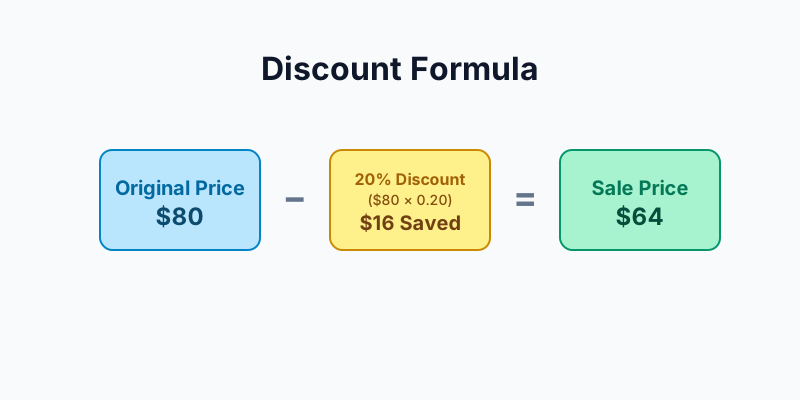
The Direct Formula
To find the sale price, you first calculate the amount you are saving (the discount amount) and subtract it from the original price.
Savings = Original Price × (Discount Percentage ÷ 100) Sale Price = Original Price - SavingsWorked Example: 20% off $80
- Convert the percentage to a decimal: 20 ÷ 100 = 0.20
- Multiply by the original price to find savings: $80 × 0.20 = $16
- Subtract from the original price: $80 - $16 = $64
The "Keep-Factor" Shortcut
Instead of calculating the savings and subtracting, you can calculate the percentage of the price you keep (or pay). If an item is 20% off, you are paying 80% of the original price.
Sale Price = Original Price × (1 - (Discount Percentage ÷ 100))Using the same $80 example:
- 1 - 0.20 = 0.80 (You pay 80%)
- $80 × 0.80 = $64
This method is usually faster on a standard calculator.
Reverse Calculation: Finding the Original Price
If a store advertises a TV for $300 at 25% off, what was the original price? You cannot simply add 25% of $300 to $300. Instead, you must divide the sale price by the "keep" percentage.
Original Price = Sale Price ÷ (1 - (Discount Percentage ÷ 100))Example: $300 ÷ (1 - 0.25) = $300 ÷ 0.75 = $400.
Common Mistakes
- Adding instead of dividing for reverse math: As shown above, adding a percentage of the sale price does not recreate the original price.
- Ignoring tax: Tax treatment of coupons, rebates, and products varies by jurisdiction. This calculator applies the rate you enter to the post-discount amount as a simple estimate.
Try the Calculator
Want to skip the manual math? Calculate sale prices, savings, and reverse percentages instantly with our Discount Calculator.